Understanding Answer Sheets: Purpose, Design, and Best Practices
Answer sheets are a common tool in educational assessments, standardized tests, and many competitive examinations. They provide a structured way for students to record responses, allowing examiners to collect data quickly and reliably. While the exact format varies—from simple paper grids to optical mark recognition (OMR) bubbles—the underlying goal remains the same: to capture each answer in a way that can be scored accurately and efficiently.
Common Types of Answer Sheets
Several formats are widely used, each suited to different testing needs:
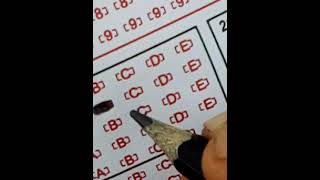
- Multiple‑choice bubble sheets: Rows of numbered questions with oval or rectangular bubbles labeled A‑E (or more). Students fill the bubble that corresponds to their chosen answer.
- True/false sheets: Similar to multiple‑choice but with only two options per question.
- Matching grids: Two columns of items; students draw lines or fill bubbles to indicate correct pairs.
- Short‑answer grids: Blank spaces or numbered lines where students write brief responses, often used for math or science problems.
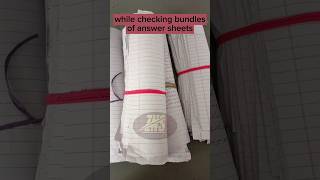
- Subjective response sheets: Larger ruled areas for essays, diagrams, or extended answers, sometimes scanned for later evaluation.
How Optical Mark Recognition Works
Many modern answer sheets rely on OMR technology. A scanner shines light onto the sheet; dark marks absorb more light than the surrounding paper, creating a contrast that the software interprets as a filled bubble. This process enables rapid scoring of hundreds or even thousands of sheets in a short time. Devices such as the Magic Scoring Machine advertised online exemplify this approach, promising faster bubble‑test scoring for teachers and tutors.
Key Design Elements that Affect Accuracy
Even small details on an answer sheet can influence how easily a student’s responses are read:
- Bubble size and spacing: Bubbles that are too small or too close together increase the chance of accidental marks or missed fills.
- Print quality: Faint lines or low‑contrast printing can cause scanners to misread marks.
- Alignment guides: Registration marks in the corners help the scanner orient the sheet correctly.
- Instructions clarity: Clear, concise directions reduce the likelihood of students marking the wrong bubble or leaving answers blank.