Introduction to Improving Sleep Quality with Garmin
Most people wear a Garmin device to track their daily activities, such as running, cycling, or swimming. However, Garmin devices can also be used to track and improve sleep quality. If you are having trouble sleeping, you are not alone. Many people struggle with getting a good night's sleep, which can affect their overall health and well-being.
In this article, we will discuss how to use your Garmin device to improve your sleep quality. We will also provide some general tips on how to get a good night's sleep, and introduce you to the latest feature of Garmin devices that can help you track and improve your sleep.
Understanding Sleep Quality
Sleep quality is an essential aspect of our overall health. During sleep, our body repairs and regenerates tissues, builds bone and muscle, and strengthens our immune system. Good sleep quality can also improve our cognitive function, mood, and physical performance. On the other hand, poor sleep quality can lead to fatigue, decreased productivity, and increased risk of chronic diseases such as diabetes, high blood pressure, and heart disease.
Having trouble sleeping can be caused by various factors, including stress, anxiety, irregular sleep schedules, and poor sleep habits. To improve sleep quality, it is essential to identify the underlying causes of sleep disturbances and address them.
Using Garmin to Track Sleep
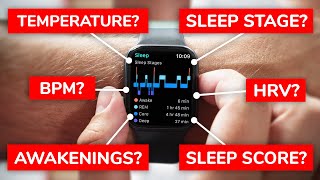
Garmin devices can track your sleep patterns, including the duration and quality of your sleep. This information can be used to identify sleep disturbances and develop strategies to improve sleep quality. To track sleep using your Garmin device, you need to wear it to bed and enable the sleep tracking feature.
The Garmin device will track your sleep patterns, including the time you go to bed, the time you wake up, and the duration of your sleep. It will also track the quality of your sleep, including the amount of deep sleep, light sleep, and REM sleep you get. This information can be viewed on your Garmin device or on the Garmin Connect app.
Strategies to Improve Sleep Quality
Improving sleep quality requires a combination of good sleep habits, a sleep-conducive environment, and a healthy lifestyle. Here are some strategies to help you improve your sleep quality:
- Establish a regular sleep schedule: Go to bed and wake up at the same time every day, including weekends.
- Create a sleep-conducive environment: Make your bedroom dark, quiet, and cool, and invest in a comfortable mattress and pillows.
- Develop a relaxing bedtime routine: Engage in activities that help you relax, such as reading, meditation, or deep breathing exercises.
- Avoid caffeine, nicotine, and electronics before bedtime: These can interfere with your sleep and reduce the quality of your sleep.
- Get regular exercise: Regular physical activity can help improve sleep quality, but avoid vigorous exercise within a few hours of bedtime.
Additional Tips for Improving Sleep Quality
In addition to using your Garmin device to track sleep and following the strategies outlined above, here are some additional tips to help you improve your sleep quality:
- Avoid heavy meals close to bedtime: Eating a large meal before bed can disrupt your sleep and reduce the quality of your sleep.
- Try relaxation techniques: Techniques such as progressive muscle relaxation, mindfulness meditation, and yoga can help you relax and improve your sleep quality.
- Get some morning sunlight: Exposure to natural light in the morning helps regulate your circadian rhythms, which can help improve your sleep quality.
Conclusion
Improving sleep quality is essential for our overall health and well-being. By using your Garmin device to track sleep and following the strategies outlined in this article, you can improve your sleep quality and wake up feeling rested and refreshed. If you need more information on how to improve your sleep quality, discover how to get a good night's sleep with the help of my Evidence-Based approach. You can also order my new book at