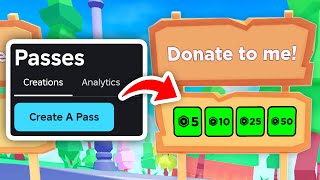
How To Make Your Gamepass In Roblox: A Step‑by‑Step Guide
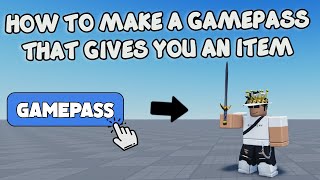
Roblox developers often add Gamepasses to give players special abilities, exclusive items, or early access to new content. In this tutorial I show you exactly how to create a Gamepass, set its price, and publish it to your game. Follow the steps below and you’ll have a fully functional Gamepass ready for players to buy.
Why Use a Gamepass?
Learn the benefits of Gamepasses before you start:
- Monetize your game without disrupting core gameplay.
- Reward dedicated players with unique cosmetics or powers.
- Test new features in a controlled environment.
Prerequisites
To create a Gamepass you need:
- A Roblox account with a verified email address.
- Ownership or edit access to the game you want to add the Gamepass to.
- Roblox Studio installed on your computer.
Step 1 – Open Roblox Studio and Access the Game
Launch Roblox Studio and open the place you intend to sell the Gamepass in. In the top menu, click Home → Game Settings. This opens the settings window where you can manage monetization options.
Step 2 – Navigate to the “Game Passes” Tab
In the Settings window, locate the Monetization section and select the Game Passes tab. Here you will see a list of any existing passes and a button to create a new one.
Step 3 – Create a New Gamepass
Click the + Create New Game Pass button. A dialog appears where you can upload an image, name the pass, and write a short description. Follow these guidelines:
- Image: Use a 512 × 512 PNG or JPEG. The image should clearly represent the benefit of the pass.
- Name: Keep it short and keyword‑rich (e.g., “VIP Speed Boost”).
- Description: Explain the advantage in two to three sentences.
After filling in the fields, click Upload. Roblox will process the image and add the pass to your list.
Step 4 – Set the Price
Once the pass appears in the list, click the Configure button next to it. In the pricing field, enter the amount of Robux you want to charge. Remember that Roblox takes a 30 % cut, so set a price that reflects the value you’re offering while staying affordable for your audience.
Step 5 – Script the Gamepass Logic
Adding a Gamepass to your game requires a small Lua script. In the Explorer window, create a new Script inside ServerScriptService



![How To Create & Publish A Gamepass! [Roblox]](https://i.ytimg.com/vi/WT_FGN4usok/mqdefault.jpg)