Multiply Fractions Anchor Chart
When students tackle fraction multiplication, visual tools can make the concept clearer and more memorable. An anchor chart placed on the classroom wall provides a quick reference, reinforcing the steps and common pitfalls. Below is a guide to creating an effective multiply fractions anchor chart, plus resources and tips for teachers who want to help 6th‑grade students master this skill.
What Is an Anchor Chart?
An anchor chart is a large, poster‑size graphic that summarizes key ideas, formulas, or procedures. It stays on the wall so students can glance at it anytime they need a refresher. For fraction multiplication, the chart should be simple, color‑coded, and include a step‑by‑step flow.
Essential Elements of a Multiply Fractions Anchor Chart
- Title – “Multiply Fractions” in bold, eye‑catching font.
- Quick Definition – A short sentence: “Multiply the numerators and the denominators.”
- Step‑by‑Step Process – Numbered or bullet points that walk through the operation.
- Visual Aid – A diagram or picture of fractions (e.g., pie charts, number lines).
- Common Mistakes – A small section highlighting frequent errors and how to avoid them.
- Examples – Two or three worked problems with final answers.
- Color Coding – Use colors to differentiate numerators, denominators, and the multiplication sign.
- Reference to Resources – Quick links or QR codes for video tutorials.
Step‑by‑Step Guide to Multiplying Fractions
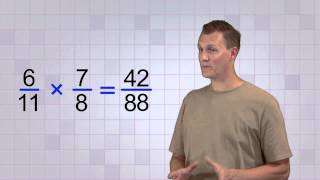
- Write the Fractions – Place the fractions side by side: a/b × c/d.
- Multiply Numerators – Multiply the top numbers: a × c = numerator of the product.
- Multiply Denominators – Multiply the bottom numbers: b × d = denominator of the product.
- Simplify the Result – Reduce the fraction by dividing numerator and denominator by their greatest common factor.
- Check Your Work – Verify that the simplified fraction is correct by converting to decimal or using a calculator.
Visual Example
Suppose we want to multiply 3/4 × 2/5:
- Step 1: Write the fractions: 3/4 × 2/5
- Step 2: Multiply numerators: 3 × 2 = 6
- Step 3: Multiply denominators: 4 × 5 = 20
- Step 4: Simplify: 6/20 = 3/10
- Step 5: Check: 3/10 = 0.3, which matches a calculator.
Include a small diagram on the chart