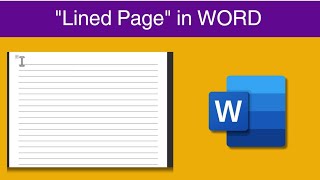
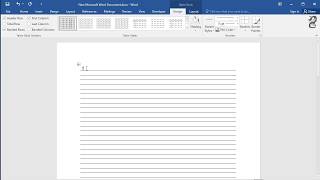
What Is Printable Lined Paper and Why It’s Useful
Printable lined paper is a digital template that you can download, customize, and print on standard home or office printers. It replaces the need to buy pre‑ruled notebooks for journaling, schoolwork, or creative projects. Because the file is stored on your computer, you can print as many sheets as you need, adjust the spacing, margin width, or add personal touches such as a name header or a decorative border.
Key advantages include:
- Cost‑effective – one file provides countless pages.
- Customizable – choose wide ruled, college ruled, or even a combination of lines and doodle spaces.
- Eco‑friendly – print only the number of sheets you actually use.
- Instant access – download and print within minutes.
How to Create Your Own Printable Lined Paper
If you prefer a truly personal design, creating printable lined paper from scratch is simple. Below is a step‑by‑step guide that works with Microsoft Word, Google Docs, and free online tools.
Step 1: Set Up the Document Layout
- Open a new blank document in your chosen program.
- Set the paper size to Letter (8.5 × 11 in) or A4, depending on your printer.
- Adjust the margins to 0.5 in on all sides for maximum printable area.
Step 2: Insert the Lines
There are several ways to add ruled lines:
- Using tables: Insert a one‑column table, set the row height to the desired line spacing (e.g., 0.25 in for college ruled), and hide the table borders.
- Using shapes: Draw a single line, then copy and paste it until the page is filled, aligning each line with the ruler guides.
- Using a built‑in template: In Word, go to File → New and search for “ruled paper.” Choose a template and modify the spacing as needed.
Step 3: Customize the Appearance
Want a splash of personality? Add these optional elements:
- Header or footer: Include a title such as “My Sketch Journal” or a date field.
- Watermark: Light