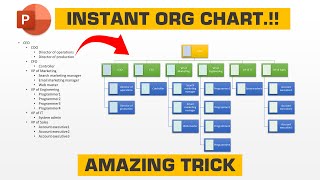
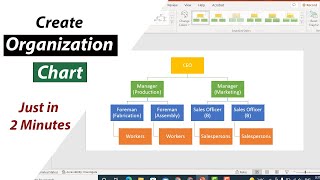
What Is a Printable Team Chart and Why It Matters
A printable team chart is a visual representation of your organization’s structure that can be easily downloaded and printed for quick reference. Whether you hang it on a wall, place it on a desk, or distribute it in a welcome packet, a printable chart helps employees understand reporting lines, departmental responsibilities, and key contacts at a glance.
In today’s remote‑first workplaces, having a physical copy of the hierarchy can reduce confusion, speed up onboarding, and reinforce a sense of belonging. It also serves as a handy backup when digital tools are unavailable or when you need a quick, offline reference during meetings.
Key Benefits of Using a Printable Team Chart
- Instant clarity: New hires can see who reports to whom without navigating multiple screens.
- Improved communication: Knowing the right point of contact reduces email loops and speeds up decision‑making.
- Enhanced engagement: Employees feel more connected when they can visualize the entire organization.
- Easy distribution: Printable charts can be handed out during orientation, included in onboarding kits, or posted in common areas.
How to Create a Printable Team Chart Quickly
Several tools let you design an interactive organization chart and then export it as a printable PDF or image. Below is a step‑by‑step guide that works for most platforms, including Organimi and Microsoft Visio.
1. Gather Accurate Employee Data
Start with an up‑to‑date employee directory. Most HR systems allow you to export names, titles, managers, and contact details in CSV format. If you use Organimi’s Employee Directory integration, the data can be synced automatically, reducing manual entry.
2. Choose a Chart Builder
Popular options include:
- Organimi: Offers drag‑and‑drop design, automatic hierarchy generation, and a one‑click “Print” button.
- Microsoft Visio: Provides advanced layout controls and the ability to fit a Visio page to a specific size for printing.
- Google Slides or PowerPoint: Simple for small teams and easy to export as PDF.
3. Design the Chart Layout
When building the chart, keep these design principles in mind:
- Use clear labels: Include full name, job title, and department.
- Maintain consistent spacing: A tidy layout makes the chart easier to read when printed.
- Apply company branding: Add your logo, brand colors, and fonts for a professional look.
4. Export as a Printable File
Once the chart looks