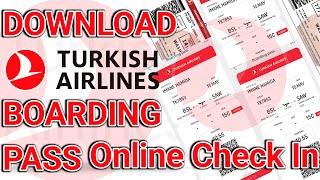
Turkish Airlines Check-In and Visa Requirements: A Complete Guide
When traveling with Turkish Airlines, understanding the check-in process and visa requirements is crucial for a smooth journey. Many passengers, especially those flying from Dhaka to Istanbul, have questions about how to confirm their travel documents and navigate the check-in procedure correctly.
Understanding Turkish Airlines Check-In Process
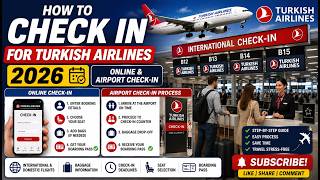
Turkish Airlines offers multiple check-in options to suit your travel needs. The airline recommends checking in online 24 hours before your flight departure. This can be done through the official Turkish Airlines website or mobile app.
For passengers traveling from Dhaka to Istanbul, the online check-in process begins by visiting the Turkish Airlines official website. Enter your booking reference and last name, then follow the prompts to select your seat and print your boarding pass. This process typically takes 5-10 minutes once you have all your documentation ready.
At major airports like Dhaka's Hazrat Shahjalal International Airport, Turkish Airlines also provides kiosk check-in services. These self-service kiosks allow you to check in, select seats, and print boarding passes without waiting in long queues.
Visa Requirements for Turkish Airlines Passengers
The visa requirement for your flight depends on several factors including your nationality, destination, and travel purpose. Turkish Airlines does not issue visas; passengers must obtain the necessary travel documents independently.
For Bangladeshi citizens traveling to Turkey, a visa is mandatory. The process involves applying through the Turkish Consulate or e-Visa system well in advance of travel. Required documents typically include a valid passport, completed application form, recent photograph, proof of accommodation, and return flight tickets.
If you're connecting through Istanbul to another destination, you may need a transit visa depending on your nationality and whether you'll leave the airport during your layover.
How to Confirm Your Travel Documents
Before attempting to check in with Turkish Airlines, always verify your travel documents are valid. This includes checking passport expiration dates (must be valid for at least six months beyond your return date) and confirming visa approval status.
The Turkish Airlines website provides useful tools to help you confirm your booking details and travel requirements. Visit the official website and use your booking reference to access your reservation information.
Check-In Timelines and Deadlines
Adhering to check-in deadlines is essential for Turkish Airlines passengers. Online check-in opens 24 hours before departure and closes 40 minutes prior to departure for most flights.
For passengers traveling from Dhaka, Turkish Airlines recommends arriving at the airport at least three hours before international departure. This allows sufficient time for baggage check-in, security screening, and immigration procedures.
Special Considerations for Dhaka to Istanbul Flights
Flying from Dhaka to Istanbul with Turkish Airlines requires particular attention to documentation. Bangladeshi passengers should ensure their visa is approved at least one week before travel to allow time for any necessary corrections.
The direct flight duration is approximately 5 hours and 30 minutes, making this route popular for both tourism and business travel. Turkish Airlines typically operates this route daily, providing flexible travel options for passengers.
At the Airport: Final Check-In Steps
After completing online check-in, you'll need to proceed to the Turkish Airlines check-in counter or bag drop area if checking baggage. Here, you'll present your passport and visa documents for verification.
The check-in agent will review your documents, weigh your baggage according to the fare rules, and provide you with a baggage tag. After payment of any additional fees, you'll receive your boarding pass and can proceed through security screening.
Common Issues and Solutions
Many passengers encounter issues during the Turkish Airlines check-in process. If you experience problems confirming your booking online, contact Turkish Airlines customer service immediately. Have your booking reference and passport details ready.
In case of visa complications, contact the Turkish Consulate





![How To Check In Online Turkish Airlines [2026 UPDATE]](https://i.ytimg.com/vi/IShG5rsEoS8/mqdefault.jpg)