What Is the BBC iPlayer App?
The BBC iPlayer app is the official streaming platform for the British Broadcasting Corporation. It lets users watch live TV, catch up on programmes, and access a vast archive of shows and documentaries. Whether you’re on a smart TV, tablet, or smartphone, the iPlayer app provides a convenient way to enjoy BBC content from anywhere in the UK.
Key Features of the BBC iPlayer App
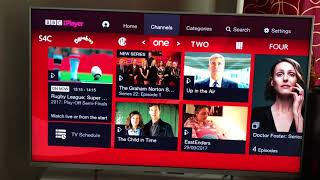
- Live TV – Watch BBC channels in real time, including BBC One, BBC Two, BBC Three, BBC Four, and BBC News.
- Catch‑Up Library – Access thousands of programmes that aired in the last 30 days. Popular shows such as Doctor Who, EastEnders, and Strictly Come Dancing are all available.
- On‑Demand Content – Browse a growing selection of movies, documentaries, and original series that can be watched at any time.
- Multiple Device Support – Use the app on Android, iOS, smart TVs, and streaming devices like Amazon Fire TV, Roku, and Apple TV.
- Personalised Recommendations – The app suggests programmes based on your viewing history.
- Offline Playback – Download shows to watch later without an internet connection.
How to Install the BBC iPlayer App
Below is a step‑by‑step guide for installing the BBC iPlayer app on various devices. If you’re new to the platform, you’ll also learn how to sign in and start watching instantly.
Installing on Android Devices
- Open the Google Play Store on your phone or tablet.
- Search for “BBC iPlayer” and tap the official app.
- Press Install and wait for the download to complete.
- Once installed, open the app and sign in using your TV licence or a BBC account.
- Follow the on‑screen prompts to verify your location and start streaming.
Installing on iOS Devices
- Launch the App Store on your iPhone or iPad.
- Enter “BBC iPlayer” in the search bar.
- Tap the official app and then Get to download.
- After installation, open the app and sign in with your BBC credentials.
- Verify your UK address and enjoy the full catalogue.